
Remote work has a funny side effect: the workplace “hallway” disappears, so the little bits of levity have to be intentional. A perfectly timed joke channel name can do more for morale than another calendar invite. The trick is keeping it playful, not confusing, not misleading, and definitely not a situation that sends someone to HR with screenshots at 11:47 p.m.
If you want to pull off a Slack prank that stays on the right side of “fun,” creating a fake channel or conversation mockup can be the cleanest option. You get the joke without actually disrupting real workflows. Below is a practical, HR-friendly way to do it.
Start with the line you will not cross
Before you generate anything, decide what your team considers fair game. A safe remote prank has a few consistent traits:
- No impersonation of leadership or HR. Not even “as a joke.” People take authority cues seriously.
- No fake policy changes, layoffs, pay talk, or performance issues. If it creates anxiety, it is not worth it.
- No targeting one person. Pranks should punch up at process or culture quirks, or be silly and universal.
- No screenshots that can travel outside context. If it could be misread in another channel, assume it will be.
A good internal rule: if someone could reasonably forward it to a manager asking “is this real,” rewrite it.
Pick a prank format that does not derail work
The lowest-risk pranks are the ones that are clearly absurd within two seconds. Some options that work well for remote teams:
1) The “obviously fake” channel announcement
Example themes:
- #urgent-toast-committee announcing emergency breakfast governance
- #compliance-for-pets reminding everyone to submit their cats’ quarterly attestations
- #project-phoenix-2-phoenix-harder with a suspiciously dramatic kickoff agenda
Keep it short. The longer the fake thread goes, the more it starts to feel like real work.
2) The fake “new Slack feature” memo (that is clearly nonsense)
Something like: “Slack is rolling out Mandatory Daily Haiku Mode.” The key is to include one detail that makes it unmistakably unreal, like the “Haiku Compliance Score” or “automatic conversion of all messages to pirate speech on Fridays.”
3) The gentle parody of team rituals
If your team loves status updates, mock a status update. If you love retros, mock the retro template. The goal is affectionate, not snarky.
Generate the fake Slack channel or conversation (without touching production)
There are times when you want the visual of a Slack screenshot, but you do not want to create a real channel, ping people, or clutter search. That is where a generator is useful: it keeps the joke contained.
One option is to use a tool that can mock up Slack-style conversations. For example, fake slack chat can help you build a believable, meme-ready screenshot without involving your actual workspace. It is also used for things like storyboarding, classroom examples, and UX wireframes, which should tell you something: the output is meant to look real, but it does not have to cause real-world confusion.
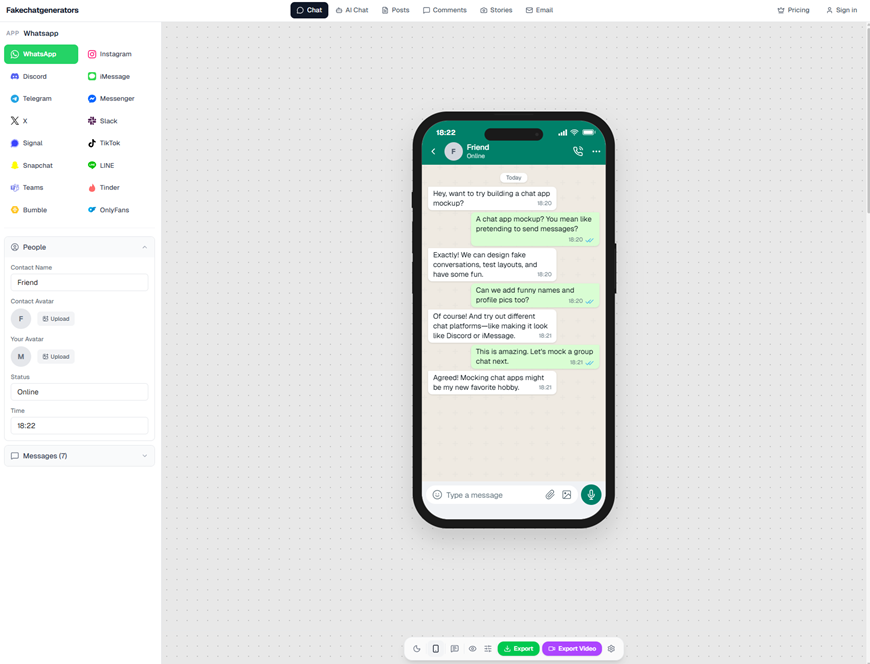
fakechatgenerators.com lets you mock up chat screenshots across 16 platforms
A few practical tips while you build:
- Use clearly comedic channel names. “#it-please-fix-the-sun” is safer than “#hr-update.”
- Avoid real names for anything sensitive. Use “Alex T.” or a fictional name if the joke involves an “announcement.”
- Keep the thread short. One screenshot is often enough. Two is plenty.
- Add a wink. A line like “This is a parody, please do not submit a ticket” saves everyone time.
Make it HR-friendly on purpose (not as an afterthought)
HR-friendly does not mean humorless. It means your joke is not built on someone else’s discomfort.
Run a quick check:
- Does it rely on stereotypes? Skip it.
- Does it joke about burnout, job security, or mental health? Skip it.
- Could it embarrass someone in front of the team? Skip it.
- Would you be comfortable if a new hire saw it on day one? If not, revise.
If your company has a distributed team across time zones, consider how the prank lands when half the team is offline. A prank that requires immediate context is more likely to confuse. Either schedule it for a shared overlap window, or make the screenshot self-explanatory.
Avoid the “screenshot problem”: keep it labeled and contained
Screenshots have legs. A joke can get copied into another channel, DMed to someone without context, or posted outside the company. Even if you trust your coworkers, mistakes happen.
A few guardrails that help:
- Add a small “PARODY” label in the corner. It does not ruin the joke, it prevents misreads.
- Post it where it belongs. A social channel like #random or #watercooler is safer than a project channel.
- Do not mimic active incident channels or customer escalations. Nobody wants to wonder if the system is down.
If your workplace handles regulated data or has strict brand rules, do not use real client names, logos, or ticket numbers. Keep the content fictional.
If authenticity matters, verify what is real (and what is not)
Sometimes the concern is the opposite: someone receives a screenshot and wants to know whether it was fabricated. That is increasingly common, because generating realistic chat images is easy and fast.
For teams that do content moderation, internal comms, trust and safety, or journalism-adjacent work, it can be useful to have a way to check suspicious media. Tools like an ai image detector are positioned for that job, including detection of AI-generated media, NSFW content, violence, and document tampering. Sightova also claims 98.7% detection accuracy across 50+ generative models with sub-150ms latency. Even if you never run a formal check, just knowing that verification exists can shape better habits: label jokes, keep originals, and avoid screenshots that could be misused.
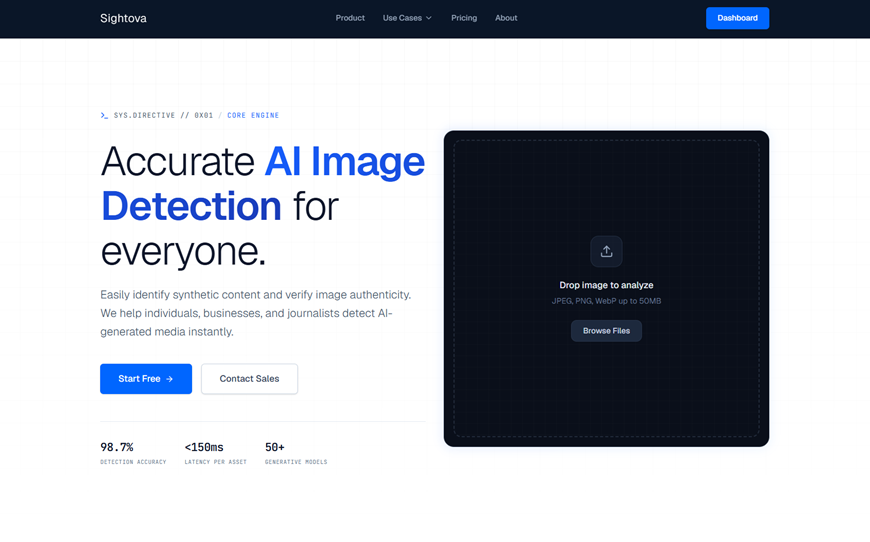
sightova.com flags AI-generated, tampered, NSFW, and violent imagery in milliseconds
A simple “safe prank” playbook for remote teams
If you want a repeatable approach that does not turn into a Slack mess, use this:
- Choose a harmless target: a process, a cliché, or a pretend committee.
- Draft the screenshot: one beat, one punchline, minimal text.
- Add context inside the image: “parody,” a goofy timestamp, or an obviously fake “feature.”
- Pick the right channel: social spaces only.
- Time it well: during overlap hours, not during incident response or deadlines.
- Close the loop: reply with “Joke’s on us” and move on. Do not let it linger.
A few prank ideas that usually land well
If you need inspiration, here are concepts that tend to be safe because they are impersonal and silly:
- A “new policy” requiring everyone to name their houseplant as an emergency contact (with a clearly absurd form).
- A fake channel created for debating whether meetings should be replaced by interpretive dance, followed by a single, overly serious agenda.
- A mock “launch announcement” for a non-existent internal tool that does one pointless thing, like converting bullet points into riddles.
The goal is a small burst of laughter, not a prolonged alternate reality.
When in doubt, make the joke shorter
Remote teams run on clarity. The best Slack pranks respect that and still bring some warmth to the day. If your prank can be understood instantly, cannot be mistaken for a real directive, and does not put anyone on the spot, you have probably found the sweet spot.
Save the chaos for board games. In Slack, keep it light, keep it clear, and let everyone get back to work smiling.